Account, plans and data
What the plan limits count, how billing works, how to export everything, and how deletion works.
The account page is reached by clicking your name and picture in the top-right corner of the dashboard. It holds who you are signed in as, which plan you are on, and where the account stands against each of that plan's limits.
Your name and picture come from your Google account, so they are shown rather than edited here.
What the numbers count
The free plan holds 50 contacts, 10 notes per contact, 10 active reminders, 10 campaigns and 3 saved views. Solo is $7 a month — or $5.60 a month billed annually, $67.20 a year — and unlimited on all five.
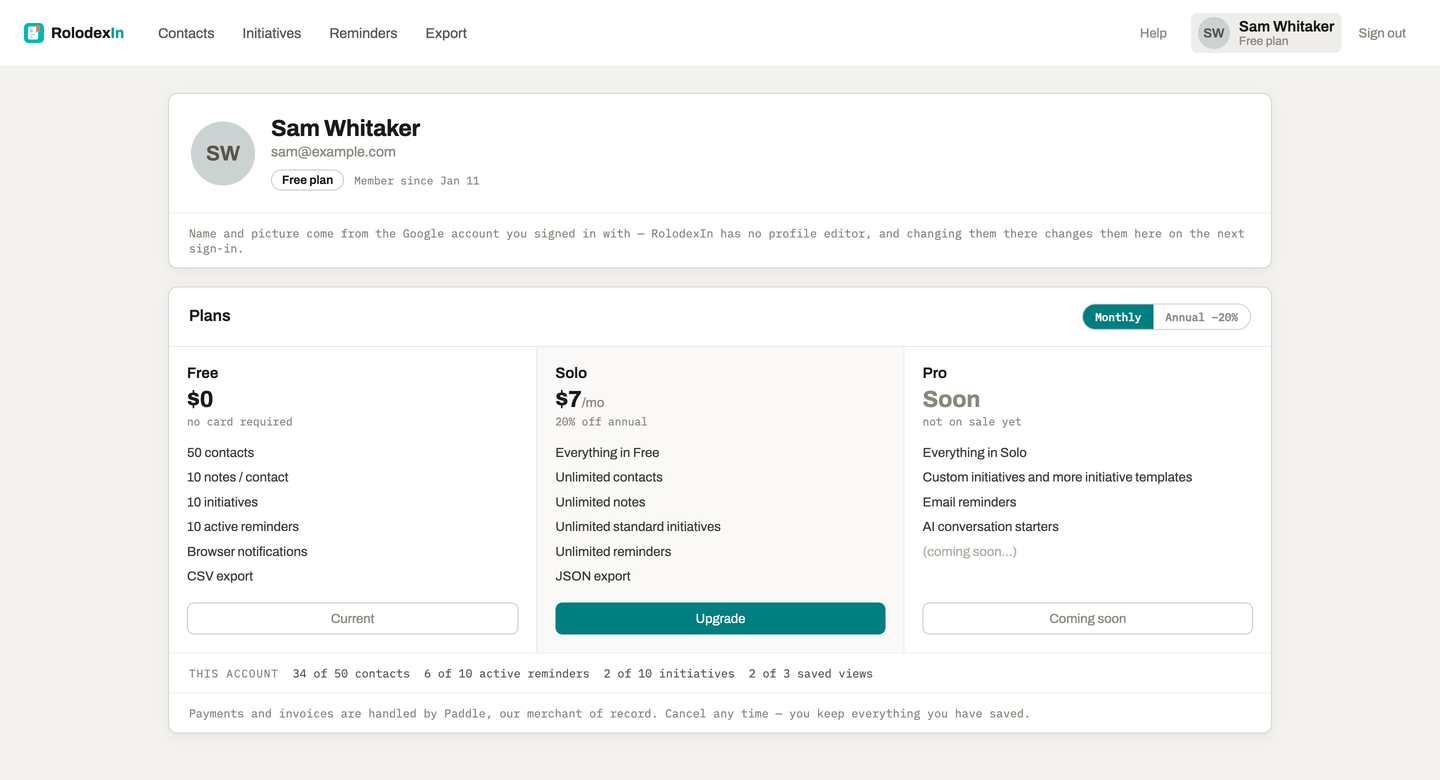
Three of those counts are worth stating exactly:
- Every contact row counts, including the ones created just by your visiting a profile and the ones saved from a capture list — not only the ones you deliberately annotated. A free account can therefore reach 50 by browsing. Deleting contacts frees the slots immediately.
- An active reminder is one that is set and not cleared, overdue included.
- Re-saving someone you already hold is never refused, because no new row is created.
A limit only ever stops you adding. Editing, reordering, rescheduling and deleting stay open at the cap, and deleting is how you get back under one.
Upgrading
The plan cards on the account page carry the Upgrade buttons, and a monthly / annual toggle. Payment is taken by Paddle, which is the merchant of record — so the invoice, the sales tax and the VAT handling are theirs, and the checkout opens over the dashboard rather than on a page of ours.
- Upgrades are immediate and pro-rated. Paddle charges the difference for the days left in the period and leaves the renewal date alone.
- Downgrades wait for the period you paid for. The account page shows the date the change lands — "Switches to Solo on 22 Sep" — with a link to undo it until then.
- A failed payment does not cut you off. Paddle retries and emails you for around two weeks; the plan stays until it gives up. The account page states that in one amber line so it is not a surprise.
- Cancelling, card changes and invoices are the Manage billing link, which opens Paddle's own portal.
Refunds: see the refund policy.
Downgrading loses nothing
An account that drops to free holding 200 contacts keeps all 200. Limits are checked when something is created, so nothing is deleted and nothing is hidden — you simply cannot add the 201st until you are under the cap again.
Getting your data out
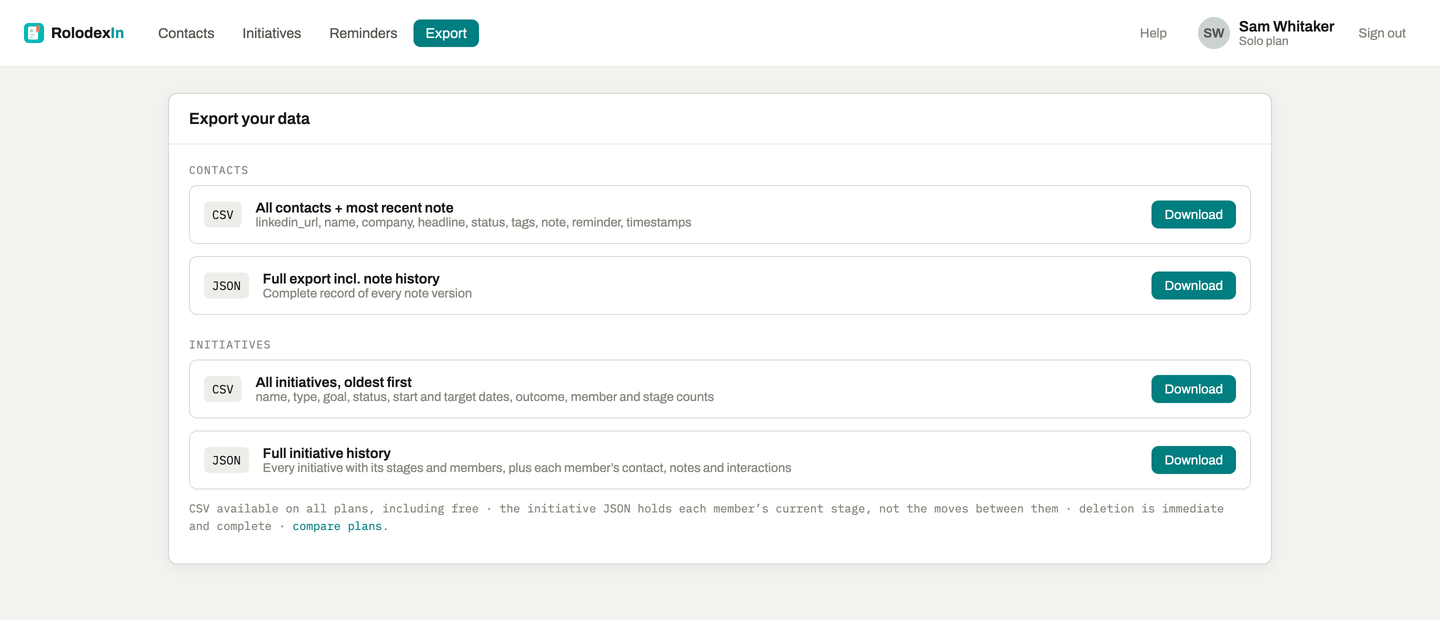
The Export section has four downloads, in two pairs:
- Contacts — a CSV with every contact and its most recent note, and a JSON file with every version of every note.
- Campaigns — a CSV with one row per campaign, and a JSON file with the whole graph: stages, members, roles, interactions and the contacts they point at.
Both CSVs are available on every plan, including free. That is deliberate: what paying buys is the full history and the nested shape, never the ability to leave. The two JSON exports are on the paid plans.
Two honest notes about the JSON. It carries no internal database ids — people are named by their LinkedIn slug and stages by their label, because a wall of uuids served no reader — so it is a complete record rather than a re-importable backup. And it states in the file that stage history is not retained: a member carries the stage they are in now, because the moves in between were never stored.
Photos are in no export. RolodexIn stores the signed image URL LinkedIn served rather than a copy of the image, and those expire — a dead link in an export reads as data loss rather than as the cosmetic field it is.
Deleting things
Deleting a contact takes it out of every view immediately and purges it for good after 30 days. The slot it held against your plan is freed straight away.
For what is stored and who can see it, see Privacy.